ERP Implementation Checklist: A Complete Step-by-Step Guide for a Successful ERP Deployment
At a medium sized distribution company, the finance director approved go-live of the ERP system on time, but she realized eight weeks later that the finance team was still closing books by hand. This was happening because nobody bothered to verify the migrated inventory data before go-live. The software was working just fine, but the planning behind it was not.
Most of the ERP implementations fail because the project went over budget, or there was a delay in go-live, or it was unable to give the business value for which money was invested in it. This is not caused due to technology. It is a combination of many mistakes such as skipping data validation, ignoring user training before going live, or launching before proper testing is conducted.
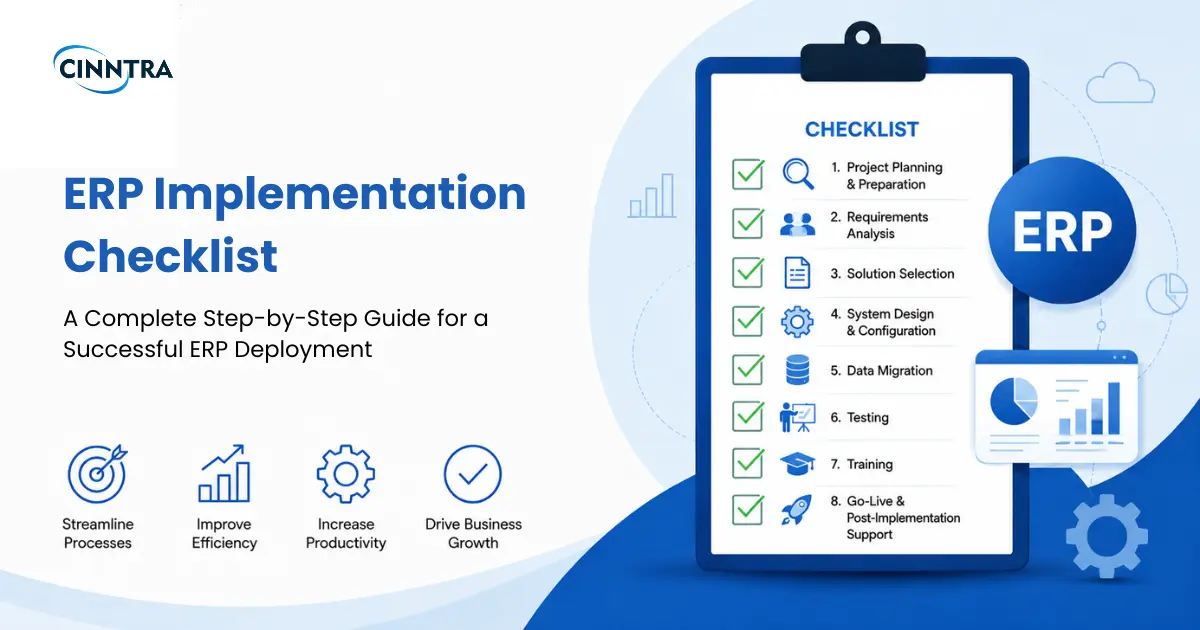
Businesses should have a reliable and proven ERP implementation checklist in order to prevent issues like these. It helps them plan, prepare the data, configure the system, test, and train users in such a way that leaves no scope of mistakes. This guide helps you understand what that checklist includes – all the steps, common mistakes that hamper the project, and best practices that keep everything good for the go-live.
What Is an ERP Implementation Checklist?
An ERP implementation checklist is a well-defined, step-by-step guide which helps companies plan, set up, test, deploy, and support an ERP system after it is deployed. Its job is to make sure that important tasks are finished on time, risks are minimized, communication between various departments is improved, and a successful ERP deployment is carried out.
This checklist is important for all companies irrespective of the size of operations. A company that has 40 people handling work through spreadsheets needs it just as much as a company that has multiple entities in different regions and consolidates financials throughout the regions. The scale sure changes but if they skip a step, it causes the same damage to both – corrupted data, delays in deployment, and a system which people don’t find reliable.
This checklist isn't just a procedure. It is a project in itself that takes many months to keep it from failing. Following are the things that it does:
-
It keeps the departments, vendors, and internal teams that work simultaneously coordinated throughout the project
-
It reduces the risks in implementation by pointing out problems in data or processes before they become an expensive issue
-
It keeps the budget and schedule right by making estimates which are actually realistic
-
It improves collaboration between teams by giving all stakeholders the same reference point for about what is completed and what's not
-
It increases user adoption with the help of proper training and change management which is planned from the start of the project
Companies that don’t follow this see their projects drift away from scope. Their deadlines get missed, and the system gets launched without any actual testing.
ERP Implementation Checklist: Step-by-Step
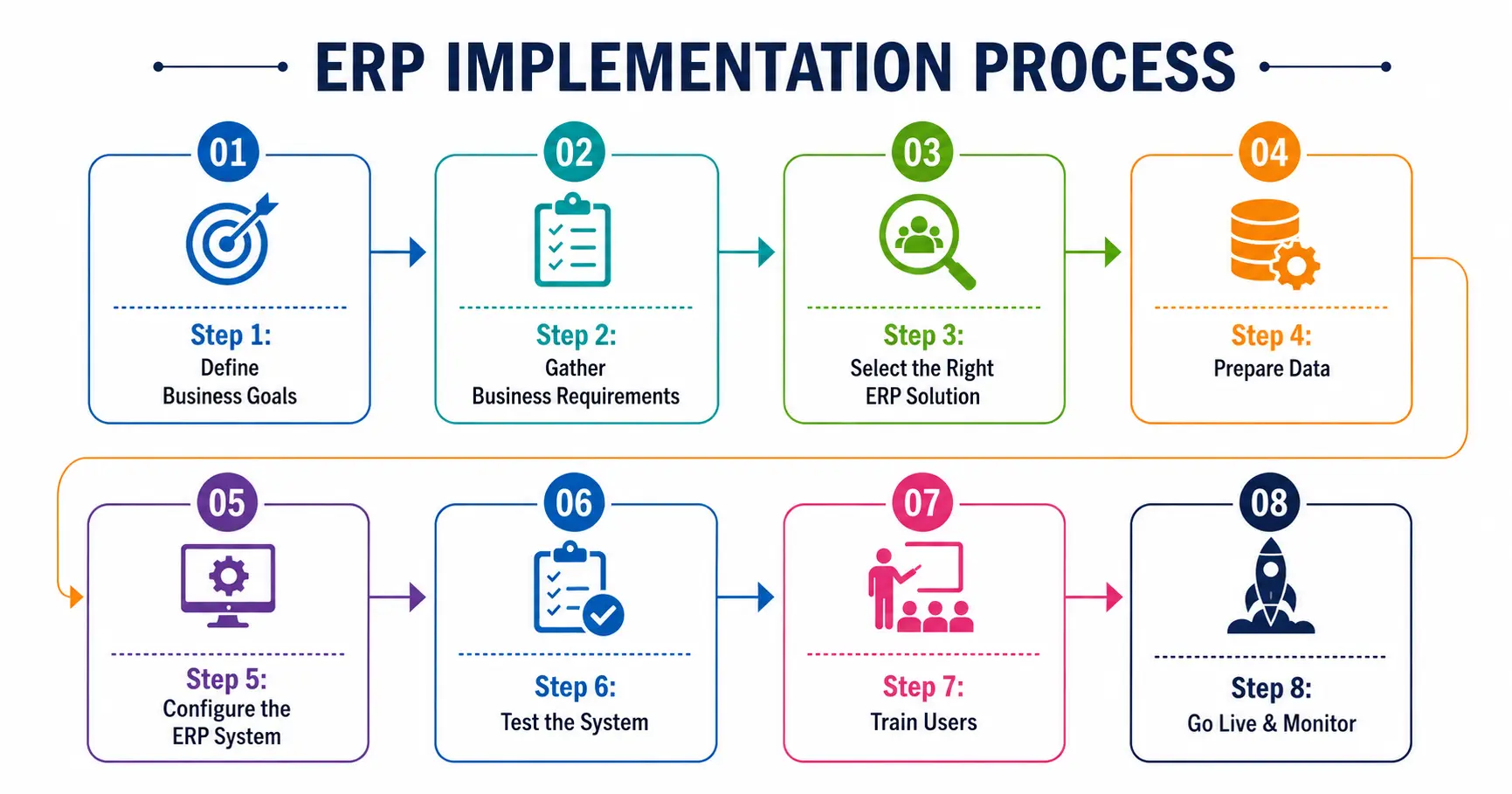
Step 1: Define Business Goals
The first step is to understand and define exactly what business challenges the ERP needs to solve. Whether it is inventory visibility, financial consolidation, order accuracy, or delays in reporting, you need to first identify the challenge. Based on the same, set clear project objectives and define the scope of implementation.
This task cannot be given to the IT team because the leadership needs to be in agreement about what success actually looks like before any other conversation starts.
Step 2: Gather Business Requirements
The next step is to record the business processes department-wise instead of just guessing what each team needs. Gather all requirements directly from different departments and determine reporting needs upfront because if issues are discovered late, it becomes an expensive affair.
Step 3: Select the Right ERP Solution
Compare different vendors based on requirements collected in step 2. Then, you need to evaluate your growth about where the business will be in the next three to five years and assess the implementation partner’s track record with businesses similar to yours.
Step 4: Prepare Data
Migrating data is where most of the ERP implementations are delayed. You need to clean the existing data, remove any duplicates, and verify the correctness before actual migration. This process can take approximately 20-30% of the total project timeline, so doing it in the final week will definitely cause delays in go-live.
Step 5: Configure the ERP System
Set up the workflows according to future growth goals that were defined before, set user roles and permissions, and ERP integration with other systems as per the requirements (CRM, payroll systems, etc.). The part where a lot of failures occur is when you try to match old processes instead of redesigning them.
Step 6: Test the System
The testing phase happens in multiple layers. These include functional testing to verify whether each feature works, integration testing to check whether the systems that were connected are exchanging data properly, and User Acceptance Training (UAT) with the actual users to check if the system actually helps with day-to-day work.
Step 7: Train Users
Next step is to carry out training based on different roles of different people from different departments instead of a generic session for everyone. You also need to share documentation with the users after going live and prepare supporting resources in advance so that if there are any questions, it does not stall adoption. Apart from this, choosing a well-trained user in each department will allow other users to ask questions before they give up and go back to old habits. Conduct role-based training rather than one generic session for everyone.
Step 8: Go Live & Monitor
Before you launch, carry out a final system validation and only then go live. For this, you also need a solid monitoring plan ready beforehand and not after issues start to occur. There is a hypercare period that ranges from 30 to 90 days and keeps the team that implemented the system engaged in order to solve issues quickly while the business gets used to the new system.
Common ERP Implementation Mistakes
There are some repetitive mistakes that cause most ERPs to fail. These are as follows:
-
Poor planning – Going straight to configuration without properly specifying the business goals and requirements
-
Inaccurate data migration – Doing data cleansing as a final step which is quick instead of an important phase of the project
-
Limited leadership support – The leadership delegates the project instead of making important decisions themselves
-
Lack of user training – Businesses tend to treat user training as a singular event when it should be a continuous part of adoption
-
Scope changes – If you keep on adding more reports or approvals, it will delay the project and the budget as well
-
Insufficient testing – Skipping UAT with the actual users and relying on the IT staff’s approval only
Even one of these mistakes can delay and impact the project adversely.
ERP Implementation Best Practices
The businesses that avoid the mistakes above generally follow some common practices.
-
They set measurable KPIs even before the project starts so that success is not defined after the same
-
Businesses include all stakeholders from the beginning – from department heads to end users who use the system on a daily basis
-
The customizations are kept to a minimal – only those which complement the businesses processes
-
They test the system properly with actual users and with real data scenarios
-
They train users before going live and not in the following weeks
-
The businesses that deploy ERP successfully also monitor performance regularly and do not wait for issues to arise
These best practices are not complicated. The difference between a successful implementation and a failed one is the consistency that goes into applying all of these practices.
Conclusion
A successful ERP Software implementation depends on planning, communication, and right execution in all stages rather than the software itself. Following a solid ERP implementation checklist reduces various risks like exceeded budget, missed deadlines, and improper adoption. All of these tend to derail many projects.
The businesses that deal with complex, multiple departments, and have entities in multiple regions also need expert guidance on things like data migration, decisions regarding configuration, and change management get a system that not just gets deployed but actually gets used.






0 Comments