How SAP Business One Accounts Payable Helps Finance Teams Process Invoices Faster
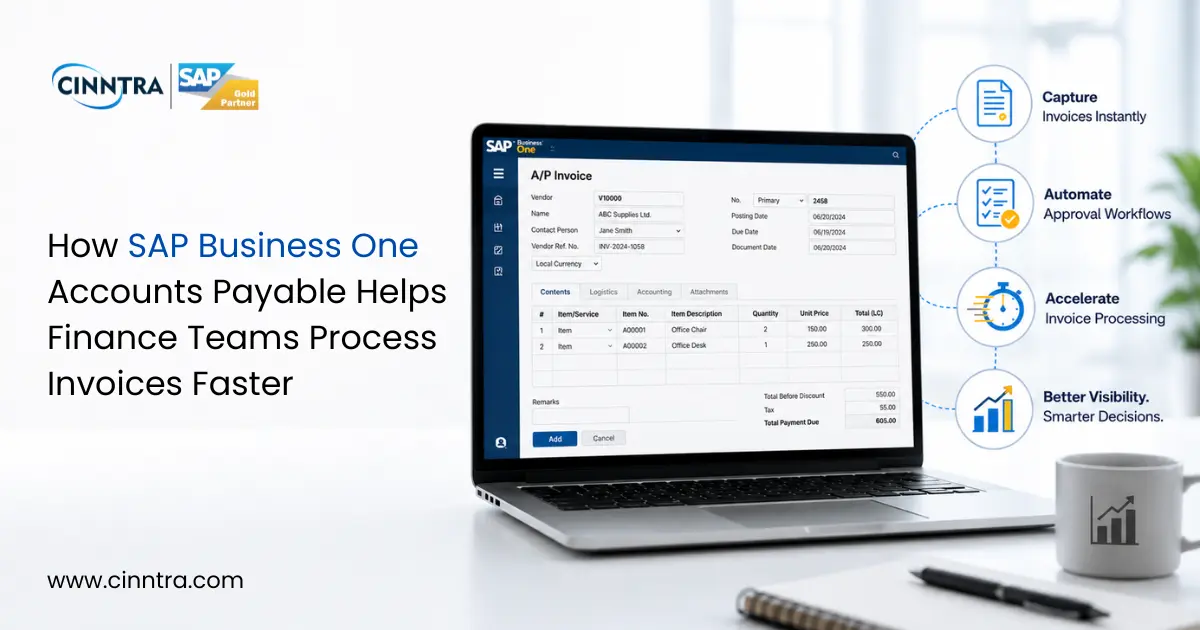
Growing firms have financial teams that contend with invoices arriving daily, placed through e-mails, pdf's, EDI systems, and paper, but require validation, approval, and paid accurately, which can create a lack of cash flow due to errors resulting in delays in payment. Using disconnected tools or spreadsheets will result in mistakes and delays, as well.
SAP Business One Accounts Payable automates the processing of invoices, decreases human resource expenses, and enhances overall visibility of cash flow in Accounts Payable from the beginning to the end.
Why Manual AP Processes Slow Finance Teams Down
Traditional AP processes can run the risk of slowing down cash flow by creating operational bottlenecks for Finance Teams. Finance Teams spend hours of time chasing approvals with multiple touch points for their suppliers, while having to manually correct discrepancies in invoice data that are created by the volume of invoices paid every month. As the volume continues, it creates additional strain on the cash flow of visibility, payment cycle, and vendor relationships. A supplier with a late paying customer due to late approval will eventually lose faith in that customer pay on time, which leads to the inability to negotiate with that supplier in the future.
Modern finance teams require invoice processing systems that eliminate manual tracking of invoices.
How SAP Business One Processes Invoices Faster
SAP Business One offers a fully automated AP Workflow on one integrated system.
1. Invoice Capture
Invoices can be entered into SAP Business One via:
- Pdf Upload
- EDI Transmission
- Scanned Paper Invoices
- Vendor Portal
2. Automated Data Extraction
The SAP Business One AP Module removes manual entry by extracting:
- Vendor details
- Invoice number
- Tax information
- Line-item data.
This removes repetitive manual entry from AP operations.
3. Three-Way Matching
With SAP Business One:
- Purchase orders
- Goods receipts
- Vendor invoices
are automatically validated, so you know they match up. This means that before approving an invoice for payment, you can identify pricing errors, duplicate invoices, and quantity differences.
4. Approval Workflows
Invoices route to the right approvers automatically. This is based on the:
- Department
- Invoice value
- Vendor category
- Approval rules
By sending automated reminders and using escalation rules, invoices continue to move through the process without finance teams having to manually follow up on approvals.
5. Real-Time Financial Posting
Once an invoice has been approved, SAP Business One will automatically post the following items:
- General Ledger
- Vendor Balances
- Payment Records
- Financial Reports
Because all financial data is updated in real-time, the entire ledger is always synchronized.
Key AP Features That Improve Efficiency
SAP Business One contains many features that improve the speed and accuracy of accounts payable:
- Automated invoice capture and validation
- Three-way PO matching and notices of exceptions
- Multi-level approval workflow
- Duplicate invoice detection
- Real-time reports that show how long invoices have been open in AP, as well as how much is owed to each vendor
- Multi-currency payment processing
- Processing of credit memos
- Integrated bank reconciliations
- Automated payment processing
Because reporting is real-time in SAP Business One, Finance Leaders can always get visibility into outstanding payables, amounts due to each vendor, and their payment priorities.
Stronger Compliance and Audit Readiness
Each accounts payable transaction processed through SAP Business One has a complete audit trail, which includes:
- Approval meeting history
- Records where invoices were matched
- Payment confirmations
- Journal entries
- Supporting documentation.
This allows businesses to efficiently conduct audits and maintain strong financial controls, as well as comply with applicable laws and regulations.
Why Businesses Are Adopting AP Automation in 2026
Financial departments are being forced to do increasingly more work with fewer employees than ever before. The use of automated accounts payable solutions allows these Bay firms to focus their energies on understanding and analysing how cash flows in and out of the business, developing a supplier strategy, and analysing large amounts of data without doing all the mundane data entry.
Due to increased regulations and growing invoice volumes, companies can no longer rely on traditional methods for manual invoice processing.
Companies using SAP Business One are equipped with a solution that enables them to quickly process invoices, provide accurate data for decision-making, and easily expand their operations as the company grows.
Learn how Accounts Payable using SAP Business One can improve the ability of your company to process invoices, gain insight into the business, and increase overall financial control.






0 Comments